
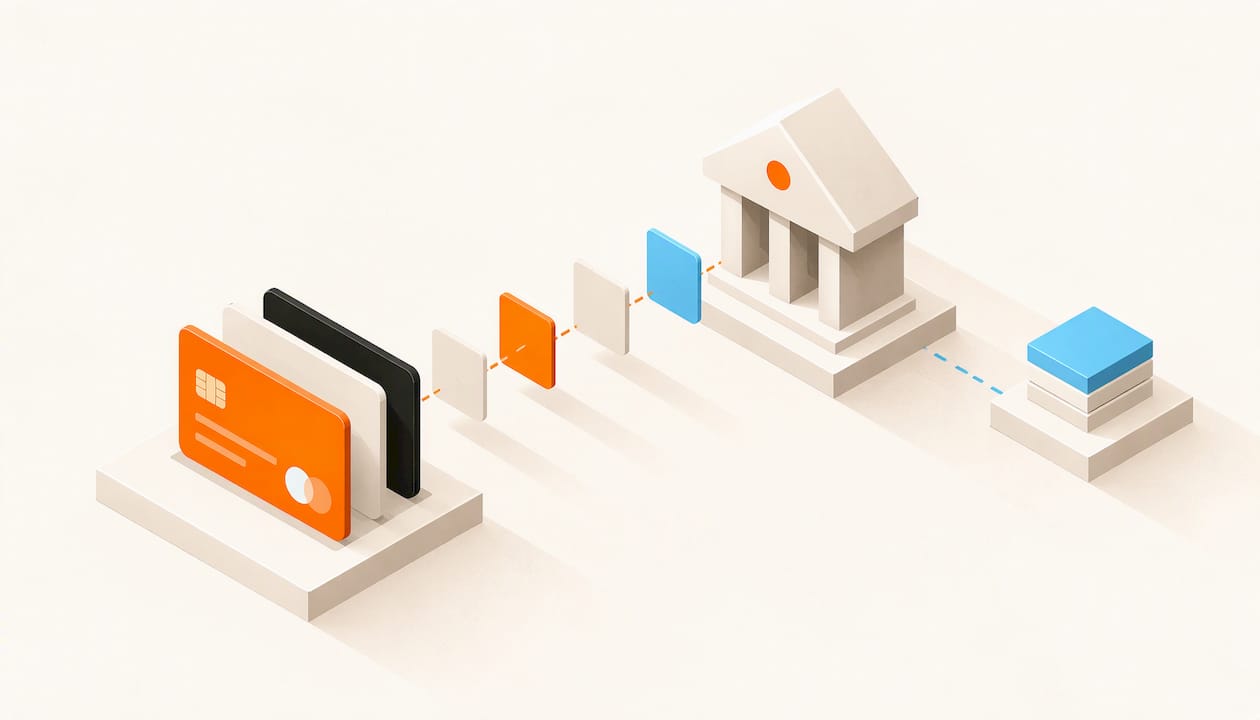
To accept credit card payments online, you need three things: a store or page where customers can pay, a payment service that connects to the card networks, and a bank account that receives the money. The simplest route for a creator or small business is a site builder with checkout built in. The customer pays on a hosted checkout, so your own site never handles raw card numbers, and you spend your time on the offer instead of on payment plumbing. That is how we built Zendiproducts: drag-and-drop site creation, online store setup and payment integration in one subscription.
This guide covers the full process, from the paperwork to the first sale, and the choices that save you money and trouble later.
TL;DR
- Pick the checkout style first (hosted checkout, payment link, or a store with checkout built in), because it decides how much setup, security work and code you take on.
- Expect to give business details, pass identity checks with your payment provider, connect it to your checkout, and run a test payment before going live.
- Offer major credit and debit cards, then add digital wallets once the basics work. Too many checkout steps cost you sales.
- A hosted checkout keeps card data off your own systems and shrinks your PCI compliance work, but you still need to confirm your provider's requirements.
- Plan for refunds, disputes and tax reporting before your first order, not after it.
Table of Contents
- What actually happens when a customer pays by card
- Choose how you will take payments
- The setup, step by step
- Online store payment methods worth offering
- What card payments cost
- Security and PCI compliance in plain language
- Refunds, disputes and chargebacks
- Can an individual accept card payments? Licenses and taxes
- Start selling with Zendiproducts
- FAQ
- Sources
What actually happens when a customer pays by card
Understanding the chain makes every later decision easier. When a customer enters card details at checkout, the details are encrypted and sent through your payment service to the card network and the customer's bank. The bank approves or declines. This is called authorization. If approved, the money is captured when you confirm the order, and then settled: moved from the customer's bank to yours, usually in a batch.
To hold the funds in between, Visa explains that a business needs a merchant account, which temporarily holds customer funds until they are verified and then passes them to your primary bank account. Many modern payment services bundle the merchant account into one signup, so you may never open a separate one yourself. Still, it is the piece that explains why signup asks for so much information.
In practice you will meet three terms:
- Payment gateway: the secure connection between your checkout and the card networks.
- Payment processor: the service that moves the money and coordinates the banks.
- Merchant account: the account where funds land before they reach your bank.
You do not have to buy these three separately. What you choose is a checkout style, and the rest comes with it.
Choose how you will take payments
There are four common approaches. Pick the one that matches what you sell and how technical you want to be.
| Approach | Best for | Technical work | Card data on your site |
|---|---|---|---|
| Store or site builder with checkout built in | Product stores, digital products, memberships | None to low | No, checkout is hosted |
| Hosted payment page | A few products or a simple site | Low | No |
| Payment links and invoices | Freelancers, coaches, service providers | None | No |
| Custom integration through an API | Developers with unusual needs | High | Depends on build |
For most entrepreneurs and creators, the first row wins. You get a catalog, a cart, a checkout and payments in one place, with no code. A payment link works well for a one-off service, but it does not give you a storefront, product pages or a way to keep customers coming back. A custom API integration gives total control, but you own every bug, every security patch and every compliance question, which rarely pays off for a small team.
If you sell a membership, a course or a paid community, choose a setup where checkout, access and member management live together. Otherwise you will be stitching payments to a separate tool and handling failed renewals by hand.
The setup, step by step
The steps below follow the pattern most guides describe, adapted for a small seller.
1. Gather your business details
The payment provider will ask who you are before it lets you take money. Expect to supply your legal name or business name, address, tax ID, a bank account for payouts, and a description of what you sell. In the US, sole proprietors can usually use a Social Security number, but a free EIN from the IRS keeps your personal number off forms.
Where it goes wrong: a business name that does not match the bank account or the website. Mismatches slow approval. Use the same name everywhere.
2. Decide what customers will pay with
Start with major credit and debit cards. The UK's Federation of Small Businesses advises that an online store should accept major cards at a minimum, and that digital wallets such as Apple Pay and Google Pay, buy now, pay later options, and invoicing for business customers can widen your audience. It also warns that too many checkout steps or confusing options can lead to abandoned carts.

The lesson holds in the US too: add methods one at a time, and only when you can see customers asking for them. A short, clear checkout converts better than a long menu.
3. Set up your store and connect payments
This is the step where the choice of platform matters most. With a custom build, you pick a gateway, request keys, write the code that talks to it, and test in a sandbox. With a site builder, you create the store, add products and switch on payment integration from the settings.
With Zendiproducts, online store setup and payment integration are part of the same platform, so you build your site with drag-and-drop tools and connect payments without writing code. The technical work that a custom build demands is simply not on your list.
4. Set your security and fraud options
Turn on every protection the checkout offers. Card verification codes and address checks catch many stolen-card attempts. Extra authentication such as 3-D Secure, where the bank asks the customer to confirm the purchase, may be required in some regions. Choose a clear name that appears on card statements, so customers recognize the charge instead of disputing it.
5. Run a test payment
Before you tell anyone your store is open, buy something yourself. Check that the order confirmation arrives, the receipt is correct, a refund works, and the money shows up in your payout report. Test the mobile checkout as well, since many buyers will arrive on a phone.
6. Go live and reconcile
Once live, match every payout to the orders behind it. Payouts usually bundle several sales and subtract fees, so the deposit rarely equals the sum of the orders. Reconciling weekly keeps surprises small.
Online store payment methods worth offering
Business Queensland, an Australian government source, lists online credit and debit card payments, phone payments, PayPal, Apple Pay and buy now, pay later services among the common options for online sellers. The same mix applies to most markets, with details that vary by country.
A practical order for a new store:
- Credit and debit cards from the major networks. This is the foundation.
- Digital wallets such as Apple Pay and Google Pay. They speed up checkout on phones because the customer does not type card details.
- Buy now, pay later, if your average order is large enough that customers hesitate.
- Invoices or bank transfers, if you sell to other businesses.
For creators selling digital products, memberships or community access, cards and wallets usually cover nearly everyone. Keep the checkout to as few steps as you can.
What card payments cost
Processing fees are normally a percentage of each sale plus a small fixed amount per transaction. Online, card-not-present payments usually cost more than in-person ones because the fraud risk is higher. Providers differ on the exact rates, and your rate can depend on volume and on which cards customers use.
To compare the real cost of any option, do this:
- Estimate your monthly sales and your average order value.
- Apply each option's percentage and fixed fee to those numbers.
- Add monthly platform fees, refund handling and any dispute fees.
- Compare the totals, not the headline percentage.
A small order amplifies the fixed fee: on a low-priced digital product, the per-transaction amount weighs far more than it does on a large order. Price your products with the fee in mind, and decide whether to absorb it or build it into your prices.
Fees are one line in a bigger picture. A platform that bundles your site, your store and your payments into one subscription makes the cost easier to forecast than several separate bills.
Security and PCI compliance in plain language
PCI DSS is the security standard set by the card networks. Visa notes that every business that accepts card payments must comply with it, whatever its size. Larger businesses complete a full audit, while smaller merchants may only need to fill out a self-assessment questionnaire.
The PCI Security Standards Council describes the self-assessment questionnaire as a self-validation tool for small merchants, with different versions depending on how you accept cards. A seller whose checkout is fully hosted by the payment provider generally has a shorter questionnaire than one that collects card numbers on its own pages. This is the biggest practical reason to use hosted checkout: you never see or store the card number, so there is far less for you to protect and far less that can leak.
Three habits keep you on the safe side:
- Never collect card numbers by email, chat or a form of your own design.
- Limit account access to the people who need it, and use strong, unique passwords with two-step sign-in.
- Keep your platform and any plugins up to date.
Also look for tokenization, which replaces a card number with a stand-in value so that a breached database holds nothing a thief can use. Visa recommends it among the protections to look for when choosing a gateway.
Refunds, disputes and chargebacks
Plan these before your first order, because they affect how you word your policies and how you handle support.
Refunds. A refund should be issued against the original sale. Worldline's dispute documentation explains that a refund needs to be initiated on the same transaction as the sale for the customer's bank to see it. If it is sent another way, the bank cannot match it and may start a chargeback instead. Always refund through your store's order screen, never by sending money separately.
Chargebacks. A chargeback happens when a customer disputes a charge with their bank. You can usually respond with evidence: the order record, delivery or access proof, and your policy. Fewer disputes start when customers recognize your statement name, receive instant receipts and can find your support address easily.
Policies. Publish a clear refund policy, contact details and a description of what customers get. Put the terms where they see them before they pay. This is the cheapest dispute prevention there is.
Can an individual accept card payments? Licenses and taxes
Yes. You do not need a large company to take cards. Many sellers start as sole proprietors, selling under their own name or a trade name. Whether you need a license depends on where you live and what you sell. There is no single federal "online selling license" in the US, but cities, counties and states may require a general business license, and a state sales tax permit is common for product sellers. Check with your state and local government before you launch, and with a licensed accountant if your situation is complex.
Taxes also apply to card income. In the US, the IRS says there is no minimum amount that triggers a Form 1099-K for payment card transactions. The higher threshold in the same FAQ applies to third-party payment networks. Either way, income is taxable whether or not a form arrives, so keep your payout reports and records. Rules in other countries differ, so check with your national tax authority.
Start selling with Zendiproducts
If you are a creator, entrepreneur or small business owner who wants to take card payments without wrestling with code, we built Zendiproducts for you. You build your site with drag-and-drop tools, set up your online store with payment integration, and manage your community from the same platform. It is a subscription service, charged after a trial.

You can see how it works and start your trial at Zendiproducts.
FAQ
Can I accept credit card payments without a physical store or card reader?
Yes. Online sellers take cards through a hosted checkout, a payment link or a store platform with checkout built in. The customer types card details or taps a digital wallet, and no hardware is involved on your side.
How long does it take to start accepting cards?
The account approval is usually the slowest part, because the provider verifies your identity and business details. Building a simple store with a site builder can take a day or less. Allow time for a test payment before you announce your launch.
How long until the money reaches my bank?
The cycle from checkout to deposit commonly takes a few business days, and the schedule depends on your provider and account history. Check the payout schedule in your account settings, and reconcile each deposit against your orders.
What is the safest way to take card payments online?
Use a hosted checkout, so card numbers never pass through your own systems. Turn on the card verification and fraud options, keep a recognizable name on statements, and complete the PCI self-assessment that matches your setup.
Do I need a business license to accept cards?
Not for the cards themselves, but you may need a local business license and a sales tax permit to sell. Requirements depend on your state, city and product, so check with your local authorities.
Sources
- How to accept payments online: A practical guide (Visa)
- How to take payments and manage orders for your online store (Federation of Small Businesses)
- Manage online sales and payments (Business Queensland)
- Completing a self-assessment (PCI Security Standards Council)
- Dispute management (Worldline)
- Form 1099-K FAQs: General information (IRS)